 PaletteFinch
Updated
Image to color palette, step by step
01
Choose a photo
Select a JPG, PNG or WebP from your device, or drag it into the tool. On a phone, Choose a photo opens your file or photo options, while Take a photo asks for the camera where supported. Files can be up to 40 MB. You do not need an account, and extracting colors uses no illustration credits.
02
Review and pick your colors
The extractor returns up to six main colors, starting with the largest sampled share. Click any swatch to copy its HEX code. If a small detail is missing, tap that point in the photo. Add the picked color to the palette or replace a swatch. You can keep up to eight colors after picking, without changing the original photo.
03
Copy, export or create
Copy all HEX gives you a comma-separated list. Copy CSS creates numbered custom properties you can paste into a stylesheet. Download PNG saves a palette card containing the swatches and their HEX codes. For an illustration, select one to four foreground colors and one background, then continue to the existing generator and add your brief.
How we extract a color palette from an image
A photo can contain thousands of nearby shades. Automatic extraction makes a smaller working copy, up to 256 pixels on its longest side, then groups similar RGB colors. Each swatch represents one group. The initial order follows the share of the sampled image assigned to each group, so a large background often comes first.
These percentages describe a sample. They do not count every exact HEX pixel in the original file, and they do not prescribe how much of a design should use each color. Mostly transparent pixels are ignored, while partly transparent pixels carry less weight. Resizing, compression, lighting and shadows can all influence which representative colors appear.
Use the point picker for small details
A small leaf or an accent on an object may be too small to earn an automatic swatch. Point picking lets you choose that detail yourself. Picked swatches are labeled separately and have no coverage percentage. If a pixel is partly transparent, the picker reports its opacity and keeps the RGB value in the HEX code. It does not blend that value into a new background.
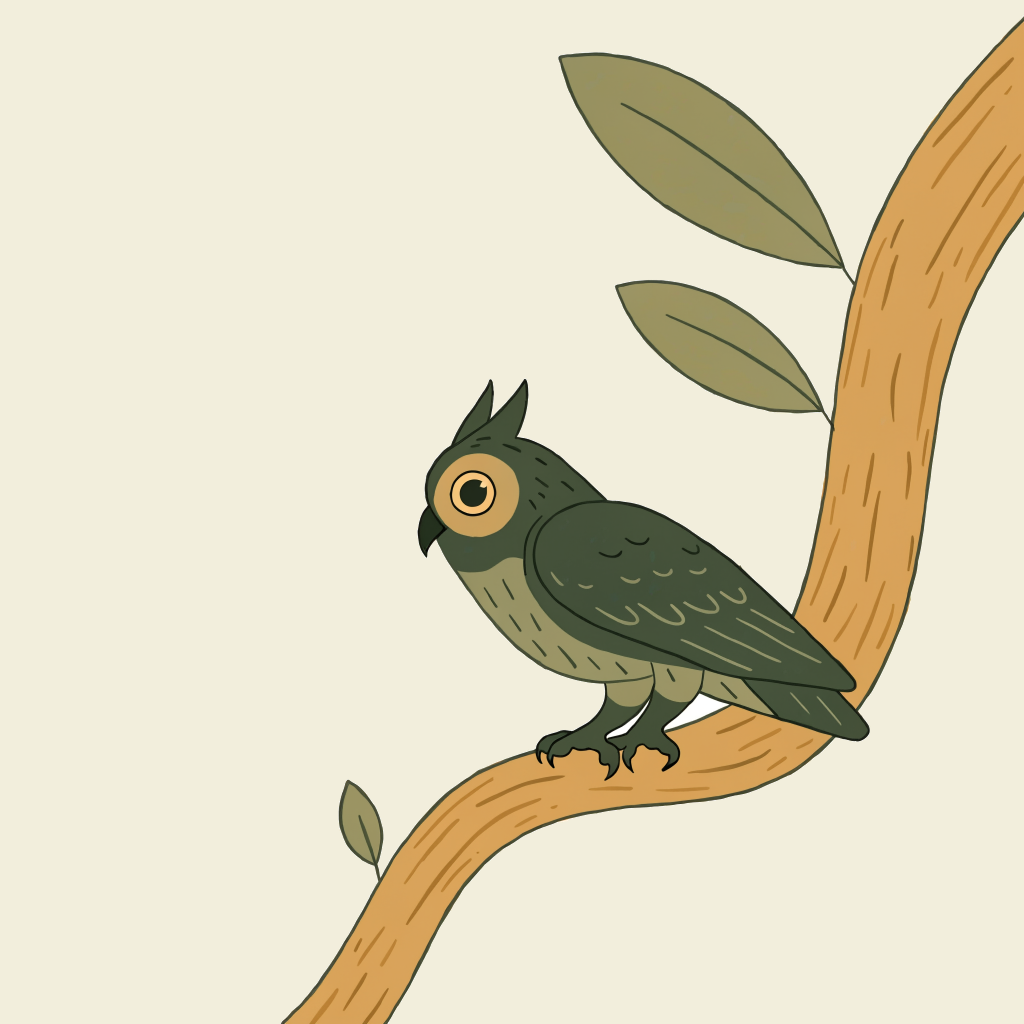
A color palette from our owl illustration
This is an AI-generated PaletteFinch sample. In our browser test, its cream background took the largest share, followed by gold and greens. That reflects the space those colors occupy in this image. A small dark detail can still be useful as an accent, even when its sampled share is low.
The image is a worked example, not an uploaded customer photo or a promise that new illustrations will reproduce every extracted shade.
What to make with a color palette from a photo
A starting point for a layout
Bring the HEX codes into a slide, mood board or website mockup. Choose roles for the colors before applying them everywhere. A pale swatch might suit a surface, while a darker one may help separate an object or heading. Check the contrast of each actual text and background pair. A palette extracted from a pleasing photo is not automatically accessible.
A reusable CSS snippet or palette card
The CSS export names the colors in their current order, such as --palette-1. Rename them to match their purpose in your own project. The PNG card keeps the colors and codes together for a presentation or handoff. It is a raster reference, without editable design layers or a color-profile guarantee for printing.
An illustration with these colors
Choose up to four foreground colors and one background, then open our palette illustration generator. Write a brief for an object, landscape or abstract composition. The original photo is not used as a model reference. Generation uses the selected colors as guidance and costs one credit; exact HEX matching is not guaranteed. Preview the result before using it.
Image palette questions
Is this image color palette generator free?
Yes. Automatic extraction, point picking, HEX and CSS copying, and the palette PNG download are free and require no account. Generating a new AI illustration is a separate action that uses one credit per image. You can finish the entire color-extraction task without opening the illustration generator or buying credits.
Does my photo leave this device?
The tool reads your chosen file locally in the browser. It does not upload that photo or send its contents, filename or extracted colors to analytics. If you continue to the illustration tool, only your selected HEX codes travel in the link. The downloaded palette PNG contains swatches and labels, without the source photo.
Why did I get fewer than six colors?
A one-color image or a simple graphic may contain fewer distinct groups. The tool shows the groups it finds instead of adding unrelated colors. Fully transparent images have no visible colors to extract. For a photo with a large pale background, that background can take the first slot. Use the point picker to include a smaller accent.
Can I get an exact color from one point?
Tap inside the displayed photo to sample a pixel from the browser-decoded image, rather than from the small automatic-extraction sample. Keyboard users can focus the photo, move with the arrow keys and press Enter. Shift moves ten pixels at a time. Browser color management and transparency can affect the value, so treat it as a screen color reference, not a print proof.
Which image formats and sizes work?
Use JPG, PNG or WebP files up to 40 MB. Larger dimensions are reduced locally for the automatic palette, while point picking reads from the decoded original. HEIC, SVG, animated formats and PDF are not supported here. Export an unsupported file as JPG or PNG first. Very large files can still exceed a phone’s available memory; try a smaller copy if decoding fails.
Can I extract colors from a website or several photos?
This page accepts one local image at a time. It does not fetch a website URL, process batches or save a cloud library. To work from a website screenshot you are allowed to use, save it to your device and choose that file. Export your current palette before selecting another image, because a new extraction replaces the current result.