 PaletteFinch
The December color collection · 6 palettes
Christmas color palette ideas, illustrated.
Six Christmas color palettes, each extracted from our own AI scene and used in a real illustration. Copy HEX codes for your design, or bring a palette into the generator.
Find my Christmas colors ↓Real PaletteFinch generations. Colors guide the image; exact HEX matching is not guaranteed.
Red and evergreen Christmas colors

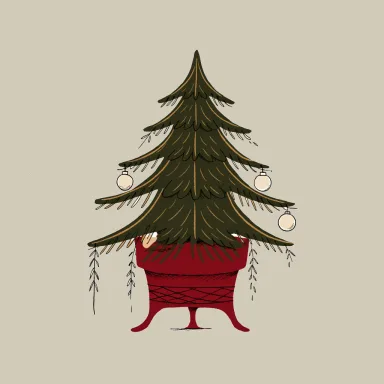
Start with the familiar Christmas pairing of red and green, softened by a warm neutral background. The scene gives this palette its deep pot red and muted olive needles. Clear ornaments and warm light also leave plenty of beige and brown in the automatic extraction. We used the point picker to keep the small red and green details in the final selection.
Try this Christmas palette for a tree illustration beside a newsletter heading. Give the fir most of the space, keep the red on the pot and small accents, and leave a quiet margin for text in your design app.
Preparing HEX copy controls…
Make an illustration in these colors ↗Nordic blue and winter white palette

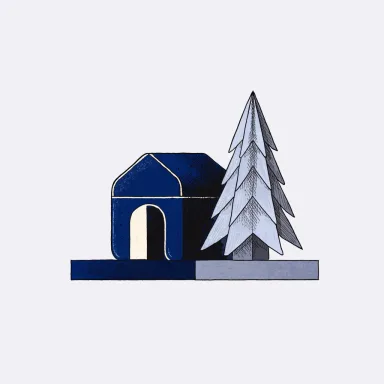
This cool Christmas color palette comes from a ceramic house, folded paper tree and snow outside a window. Its white carries a faint cool tint. Slate and deeper blue help the small objects stand apart from that pale surface. The scene contains several close gray shades, so the selection keeps both a light neutral and a dark detail color.
Use this palette when you want a quieter winter illustration for a slide or seasonal email. A short brief with one house and one tree gives the colors clear jobs. Keep the pale background separate from darker outlines.
Preparing HEX copy controls…
Make an illustration in these colors ↗Vintage gold and cocoa Christmas palette
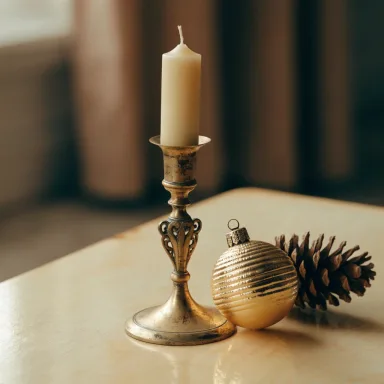
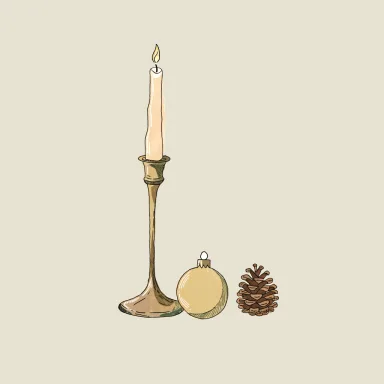
An ivory candle, aged brass holder and ornament supply this warm Christmas palette. The lighter beige comes from the tabletop and highlights, while cocoa shades give the objects their edges. These are sampled colors from a raster scene. A gold HEX code describes a color on screen and does not create a metallic material or a foil printing effect.
Try the vintage palette for a candle illustration in a December menu or a small gift note. A stable candlestick supports the slender candle. Keep the subject simple so the close gold and brown shades remain readable at a small size.
Preparing HEX copy controls…
Make an illustration in these colors ↗Pink and peppermint holiday colors
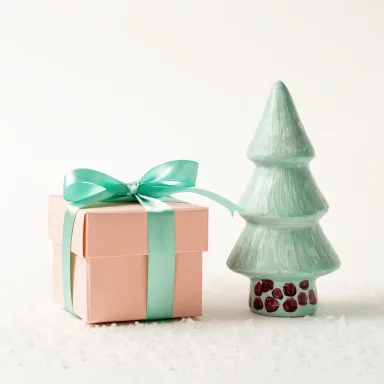

A gift box and ceramic tree give this Christmas palette its pink and mint direction. The pink reads as warm peach in the generated scene, so the extracted code follows that appearance. Pale cream takes most of the image. A tiny raspberry detail was picked directly from the decoration rather than added as an invented accent.
This palette suits a playful gift illustration or a small holiday announcement. Let the bow carry the mint and keep the darker accent sparse. The reference shows the source colors and a separate generated illustration so you can compare how their balance changes.
Preparing HEX copy controls…
Make an illustration in these colors ↗Midnight blue and candlelight palette
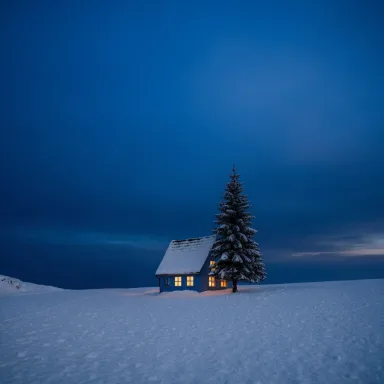

The snowy cottage gives this Christmas color palette a dark blue background and a small warm window accent. Automatic extraction finds mostly blues because the sky occupies so much of the scene. We used the point picker on a lit window to include its gold. The snow also appears blue in this light, which explains the cooler foreground shade.
Use this palette for a winter night illustration with a clear silhouette and a few bright windows. Review the result against a dark layout before adding it to a design. A warm detail needs enough space to remain visible when the image is reduced.
Preparing HEX copy controls…
Make an illustration in these colors ↗Woodland green and linen Christmas colors


Pine branches, cones and linen make a muted Christmas palette with olive greens and earthy browns. The cloth supplies a lighter background, while a point picked from the greenery keeps an olive tone in the selection. Shadows and warm lighting account for the darker colors. This is a restrained woodland option for projects that need less red.
Try this palette for a wreath illustration beside a seasonal note. An open crescent of pine branches and a small ribbon keep the subject clear without a detailed room around them. Check dark text against its actual background when you place the illustration in a page or card.
Preparing HEX copy controls…
Make an illustration in these colors ↗From a scene to your own brief
How to use these Christmas HEX codes
Choose a palette by the feeling you want in your Christmas illustration. Each set contains four foreground colors and one background. The last swatch is the background, so you can tell which color will sit behind the subject. Copy the codes into your design app, or open the generator with all five already filled in.
Write a brief for one object, a small landscape or an abstract composition. You can edit any color and choose a square, landscape or portrait canvas before generating. Each new illustration uses one credit. You can read the illustration credit prices before making an image.
We generated the source scenes for this page. No third-party photos were used. Automatic extraction groups similar colors, so shadows and large surfaces affect the result. For a small detail such as a warm cottage window, we used the same tool’s point picker. A picked accent has no coverage percentage.
Extract a palette from my own image ↗Christmas palette questions
Can I make a Christmas design without red and green?
Yes. The cool blue, vintage gold and pink options give you other starting points. Keep recognizable Christmas subjects, such as a fir or a wrapped gift, if you want the illustration to read as seasonal.
Will an illustration match every HEX code exactly?
The palette guides generation. New shades, textures and a different color balance can appear in the result. Compare your illustration with the swatches before using it. Raster images do not provide editable vector layers, and a pleasing Christmas palette does not automatically make text accessible or predict printed colors.
Created . Scenes and illustrations generated with Recraft V4.1 Flash through fal.ai. Explore the PaletteFinch illustration tool.